1. Posts/

Enabling Wi-Fi Channel 13 on the RPi in Singapore

Author
Ian Loke
Tech generalist based in Singapore with 10+ years in Industrial Automation, IIoT, OT Security, and Energy. I go deep on the things I’m curious about.

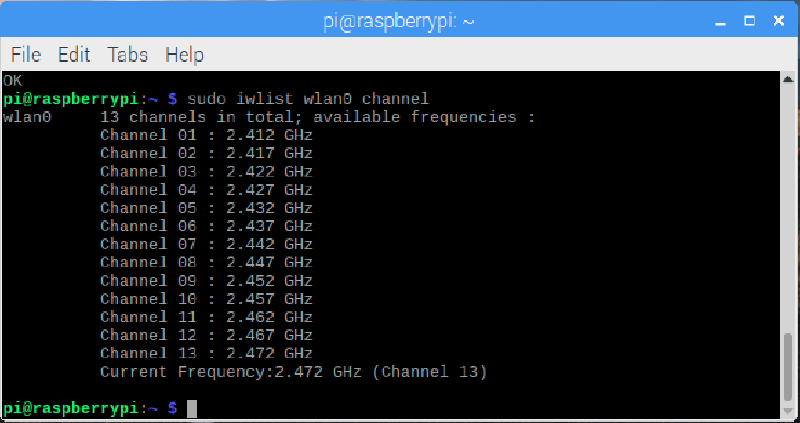
If you are attempting to connect your Raspberry Pi to a 2.4 GHz Wi-Fi channel greater than 11 (i.e Channel 12 and Channel 13), there is a chance that the channel is not exposed to you.
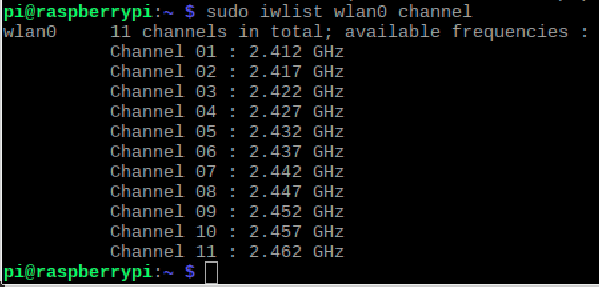
WiFi 1

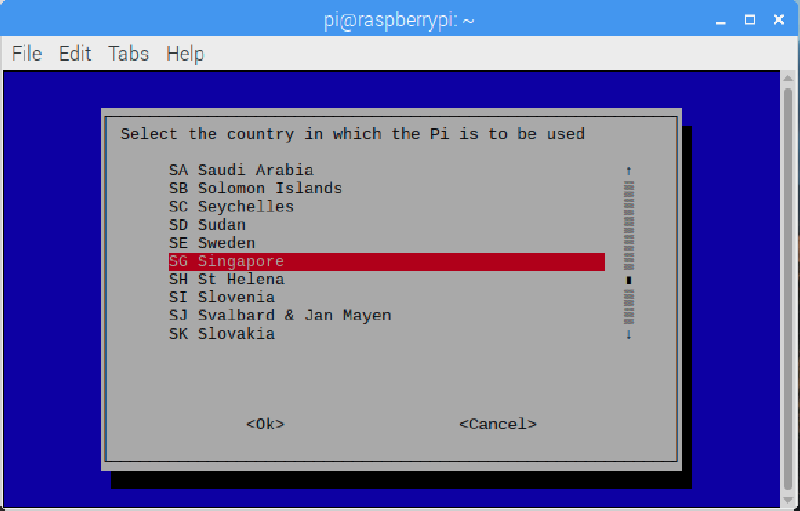
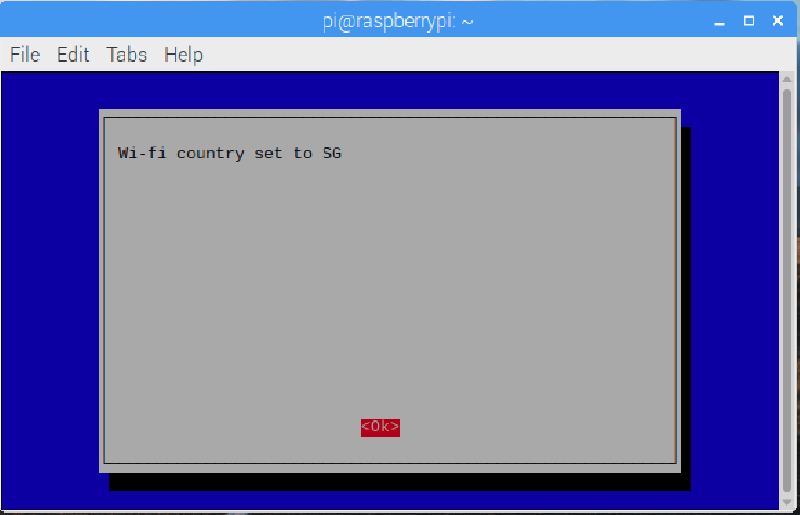
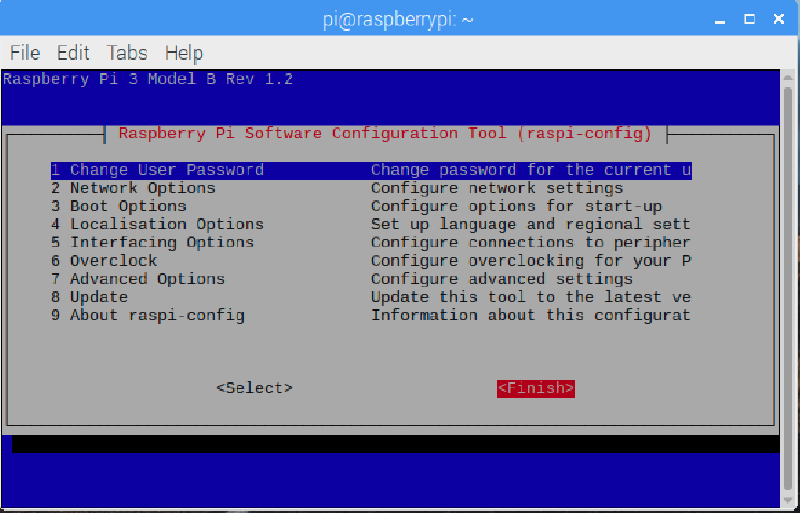
The reason for this is that you might not have configured your RPi’s Wi-Fi Country settings. There is nothing to worry about as it’s merely a configuration issue and the Wi-Fi channels have been hidden from you. To expose the channels, bring up a terminal and following the images below.

raspi-config
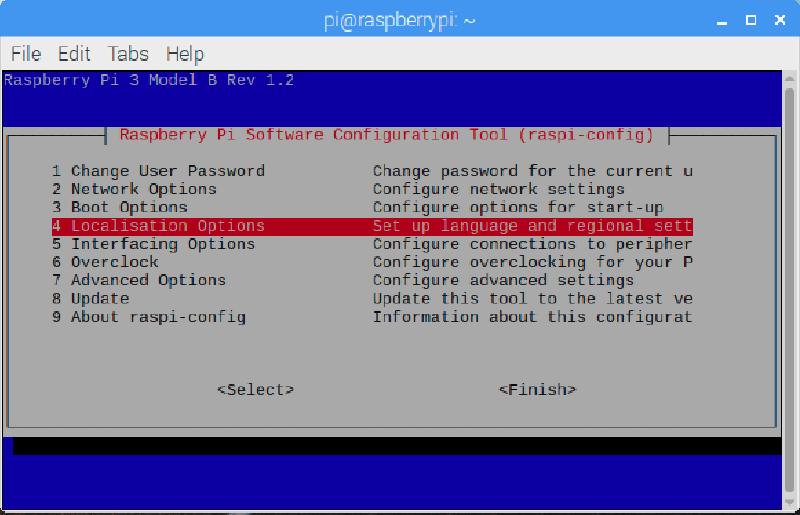
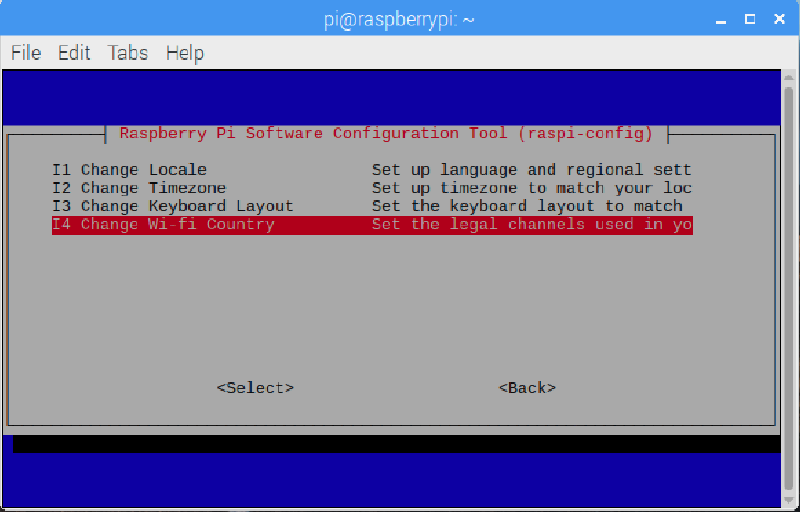
WiFi 2
WiFi 3
WiFi 4
WiFi 5
WiFi 6
WiFi 7

Happy hacking!

Related

Singapore FM Radio with HackRF One

It’s been a while since I’ve posted due to different excuses. But no more, I hope to continue posting articles regularly in the spirit of learning about new technology. Today’s tech gadget is the HackRF One by GreatScottGadgets. The HackRF One is a Software Defined Radio (SDR) hardware used to test and develop radio technologies.